Chrome · Lens › UI>Browser>Mobile
CVE-2024-13983
Logic Error in Lens (UI>Browser>Mobile)
Overview
Low
Severity
6.3
CVSS
No
Exploited ITW
Embargoed
Fix Status
Fix not yet public
No public source fix for this bug has been identified on the main branch yet — it is embargoed or not yet disclosed. Root-cause analysis is withheld until the fix commit is available.
Original Bug Report
reported by [email protected]
iOS QR code spoof: embedded backslashes
VULNERABILITY DETAILS
We are currently investigating QR code issues across various browsers and have discovered that Chrome on iOS may be susceptible to certain phishing attacks when handling QR codes.
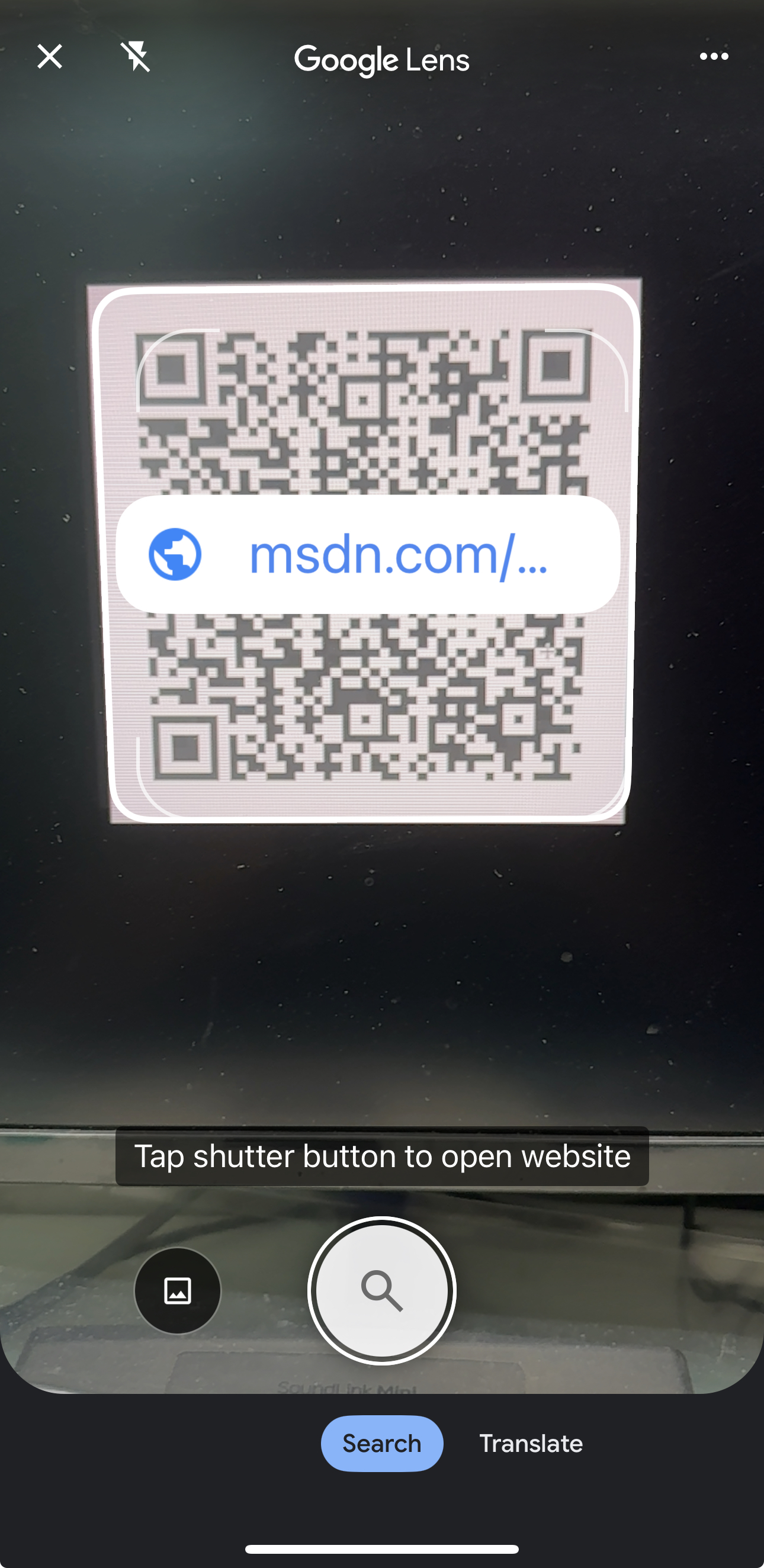
When Chrome scans a QR code on iOS, it attempts to truncate the full URL based on the backslash somehow, trying to display only the SLD in the pop-up. However, when users click the pop-up, Chrome may truncate certain characters in the URL during navigation, potentially redirecting users to a different, misleading website.
VERSION
Chrome Version: 131.0.6778.73
Operating System: iOS 18.1
REPRODUCTION CASE
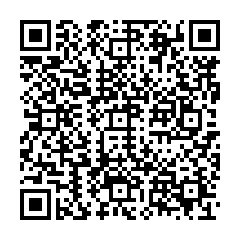
- Create a QR code which contains
http://msdn.com\\@long.long.evil.com. You can use the first attached picture. - Open chrome on iOS then use the build-in camera to scan this QR code.
- Seeing the second attached picture, user may think it is
msdn.comand it is a safe link. - After clicking the pop-up, user will be directed to
long.long.evil.com.
CREDIT INFORMATION Reporter credit: Zeddy in CUHK
References
On This Page